
Office and Conference Room Display Installation in Santa Clarita
Santa Clarita TV Mounting covers conference room display, interactive whiteboard and video-conferencing screen installation for offices in Santa Clarita's Valencia Gateway, Centre Pointe and Valencia Industrial Center, with in-wall HDMI and USB runs to the table, camera and soundbar mounting and clean cable management.
Bookings aren't open yet. Leave your name and number; your message is recorded, and you'll get one message when a local installer is available.
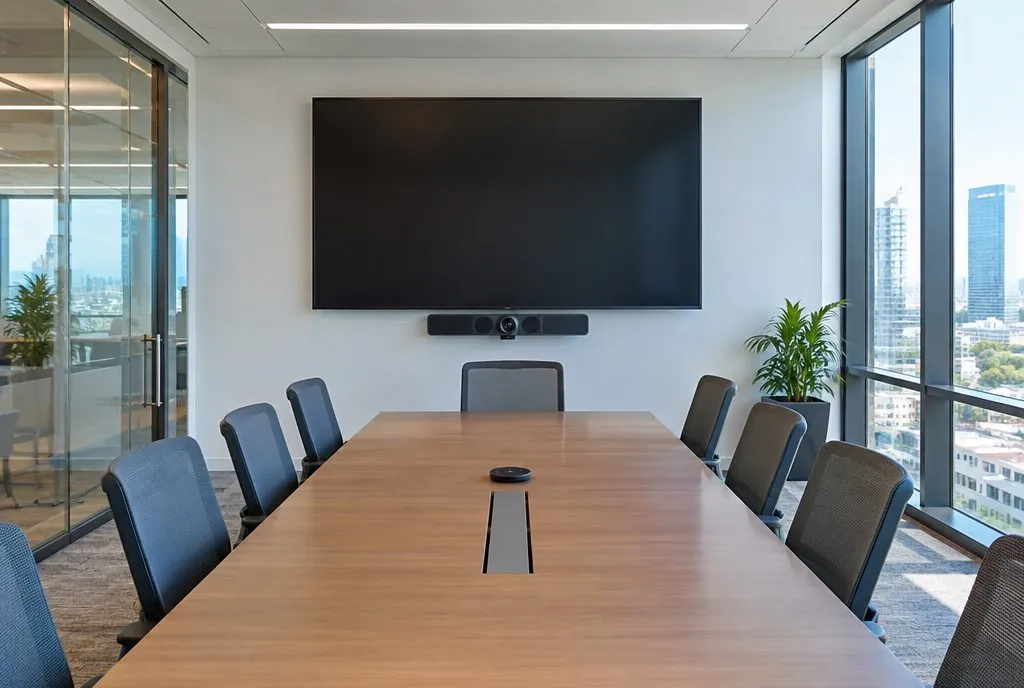
Office and conference room display installation in Santa Clarita, CA typically runs $99–$299 per display in the estimator, depending on screen size and how the cables reach the table; hiding the wires inside the wall adds $79–$149 per display.
Conference room display essentials
The screen should be sized for the far seat (a 75–86 inch display for a 20-foot room), mounted with its center about 48–54 inches high so seated participants look slightly up, not at the ceiling. Below or above it, the video bar or camera needs a stable mount at eye level for remote participants. All of this depends on a wall that can carry 100+ lbs and a cable path to the table.
| Room type | Seats | Display | Camera and audio |
|---|---|---|---|
| Huddle room | 2–6 | 55–65 in | Video bar under the display |
| Medium conference | 6–10 | 65–75 in | Video bar, sometimes a table mic |
| Large conference (about 20 ft) | 10–16 | 75–86 in, or dual displays | Camera plus ceiling or table mics |
| Training room | 16+ | 86–98 in or dual displays | Speaker-tracking camera |
| Lobby or break room | — | 43–55 in | Signage player or streaming device |
What goes into a conference room install
Displays and interactive panels
Commercial displays, Samsung Flip / Microsoft Surface Hub / Vibe-class interactive panels on fixed or height-adjustable mounts.
Video bars and cameras
Poly, Logitech Rally Bar, Neat and Yealink bars on display-mounted or wall brackets, aligned to the display.
Cable infrastructure
In-wall HDMI, USB 3 active cables and Cat6 from the display to a floor box or table grommet; plenum-rated where it crosses the ceiling.
Dual-display and huddle rooms
Side-by-side screens for content + people, or a single 55–65 inch display with a video bar for 4–6 person huddle rooms.
Working inside occupied offices
Steel-stud walls get backer plates sized for the display; glass-wall rooms get floor-stand or ceiling solutions. Installers work early, late or on weekends, protect carpet and furniture, and leave the room ready for the next meeting with inputs labeled.
Coordination with IT
The installer handles the physical installation and cabling; the IT team or managed-service provider configures the room system and receives a cable map and port list.
Remote participants see the room only through the camera, so the camera is placed as carefully as the screen.
Office & Conference Room Display Installation — common questions
Are office lobbies and break rooms covered as well?
Yes — lobby signage displays and break-room TVs are usually added to the same visit.
Office & Conference Room Display Installation: check availability and price range
Bookings aren't open yet — tell us about the TV and the wall. You get a Santa Clarita price range on the next screen. Typical Santa Clarita Valley prices for one TV, labor only unless an option says otherwise. This is a market estimate, not a quote.